

Overview
When you have multiple versions of the same document, Proposal.biz lets you drill down into each version's performance independently. This gives you granular visibility into how each version is performing helping you understand what is working and what needs to change.
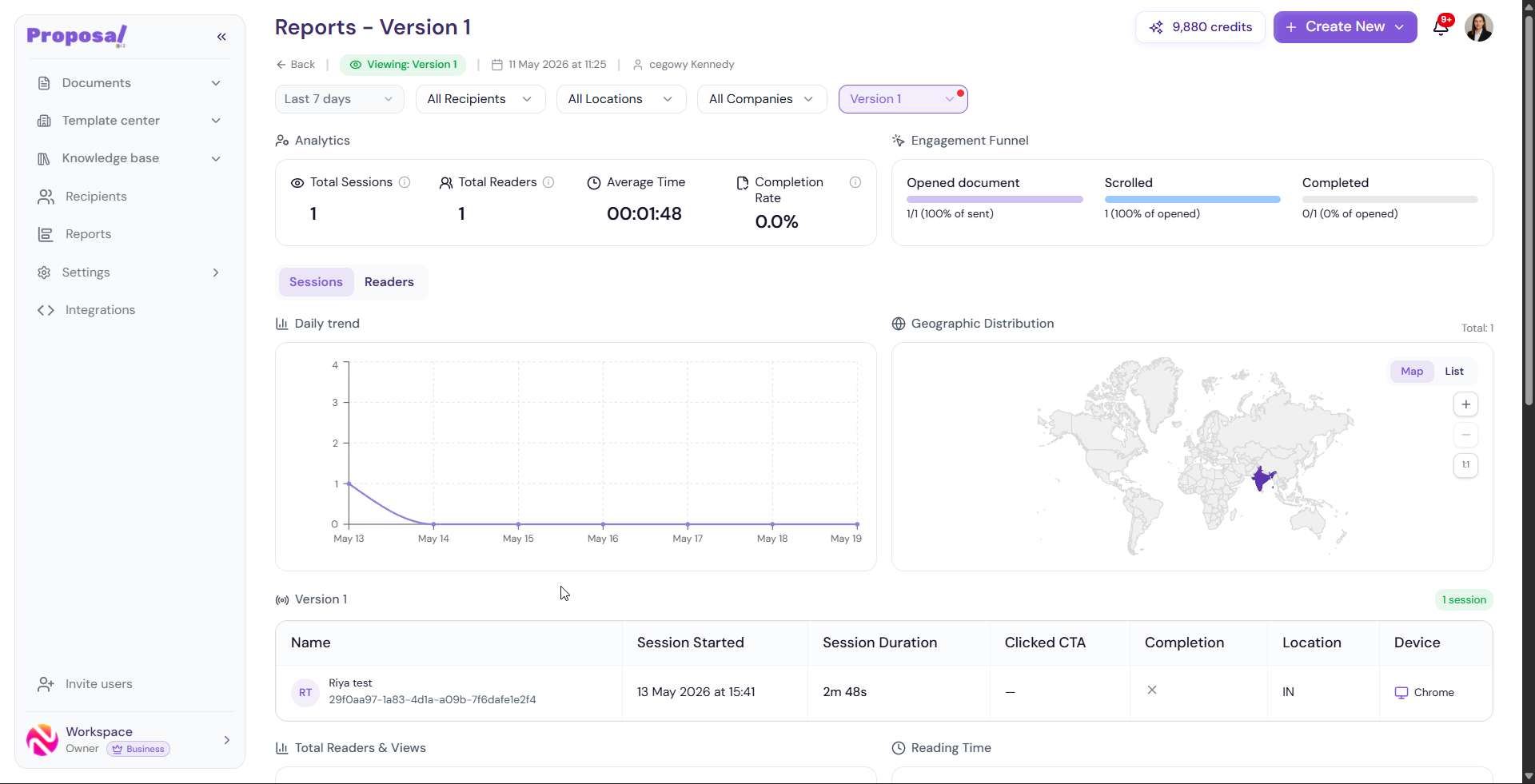
Accessing Version-Level Reports
Go to Reports in the left sidebar
Click on any document to open its detailed analytics
Scroll down to the Custom Versions section
Click View details on the version you want to analyse
Version Sessions Table
A table listing every individual session for this version with the following details:
Name — Reader's name or identifier
Session Started — Date and time the session began
Session Duration — How long the reader spent viewing this version
Clicked CTA — Whether the reader clicked any call-to-action
Completion — Whether the reader completed this version
Location — Geographic location of the reader
Device — Device and browser used
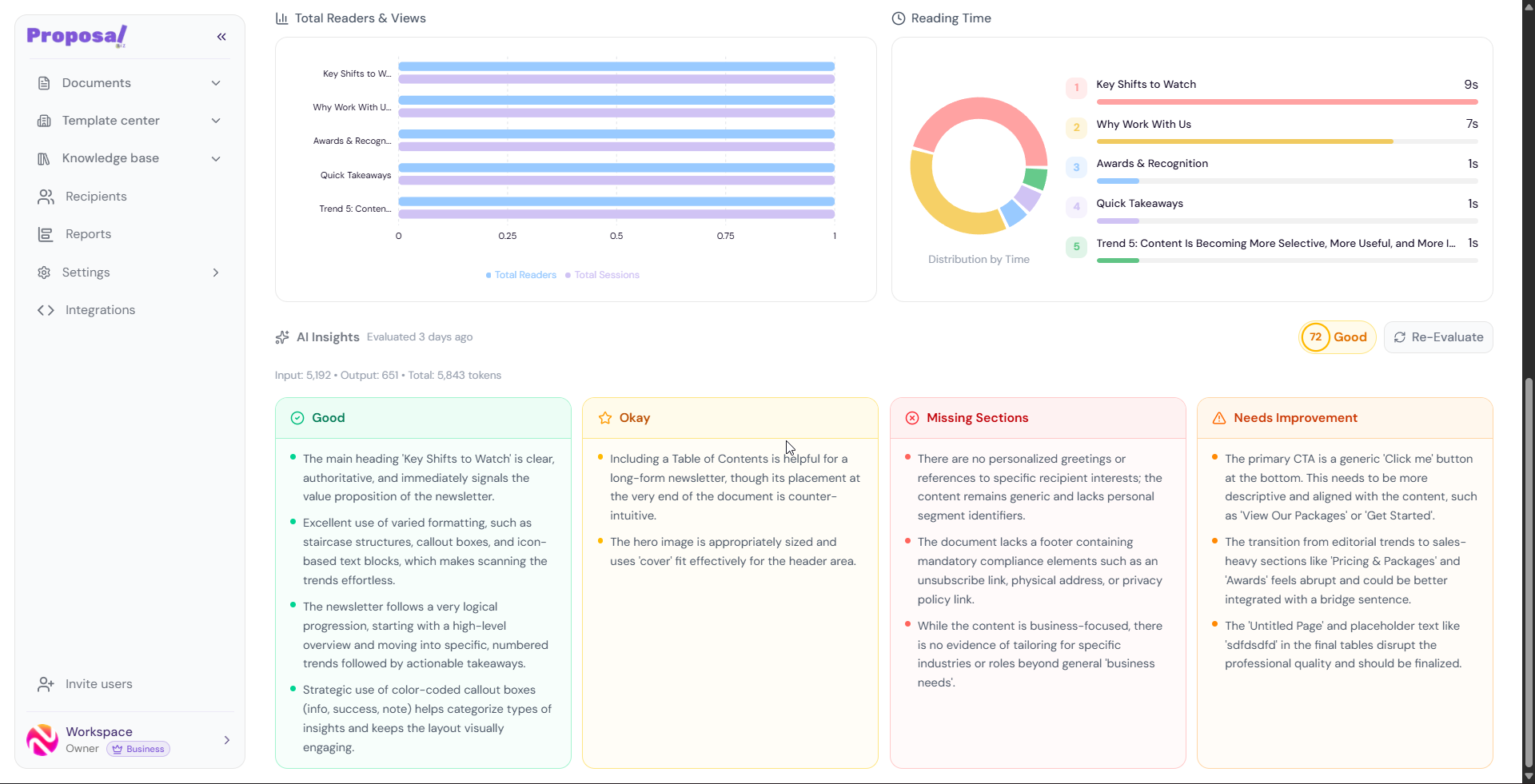
Total Readers & Views
A horizontal bar chart showing total readers and total sessions broken down by section — specific to this version only. This helps you see which sections are attracting the most attention within this particular version of the document.
Reading Time
A donut chart visualizing the reading time distribution across different sections of this version. Each section is displayed with its name and the time readers spent on it.
Use this to identify which sections hold attention and which are being skipped in this version.
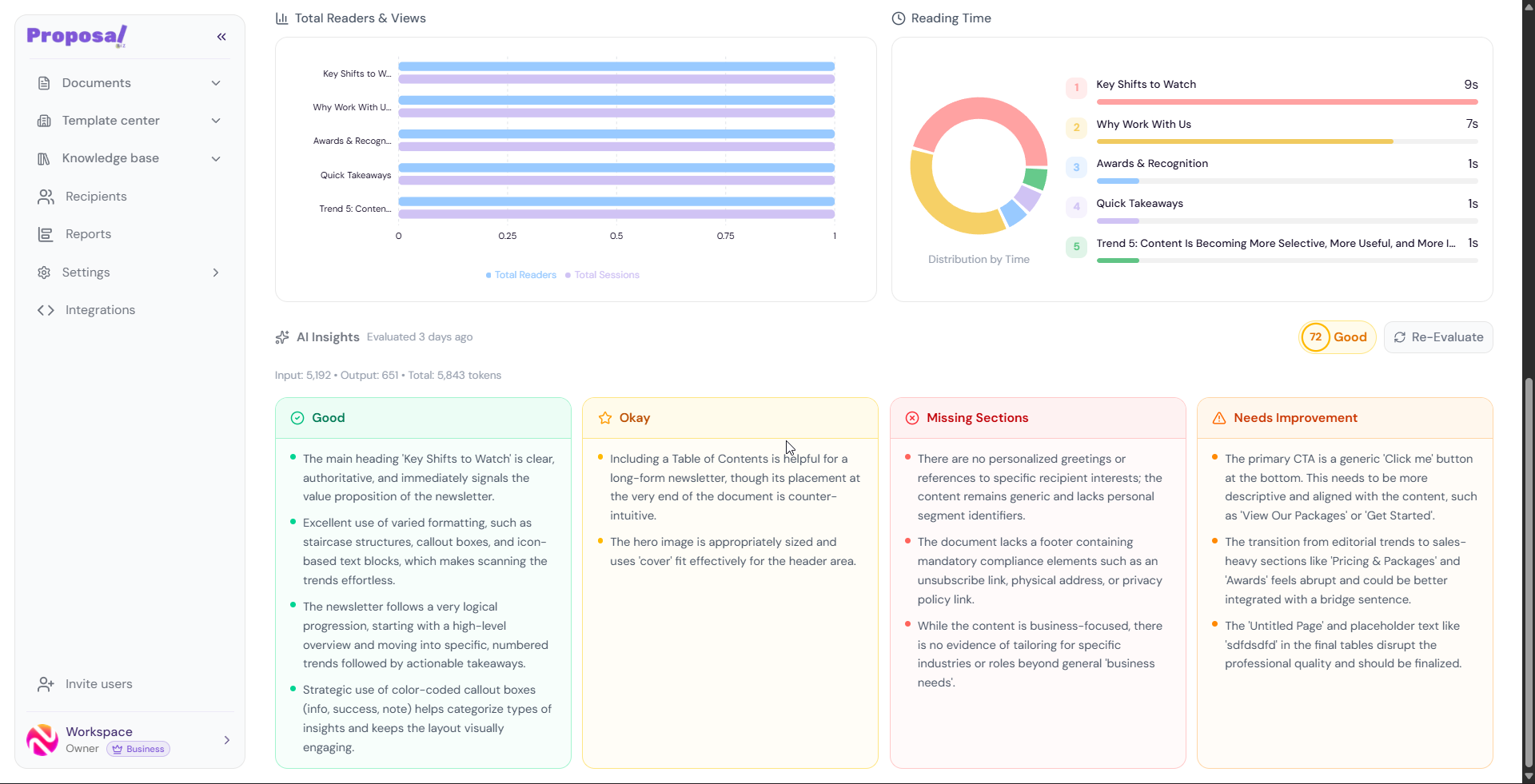
AI Insights
Each version has its own independent AI evaluation. The insights are organized into four categories:
Good — Strengths of this version that are working well
Okay — Areas that are acceptable but could be improved
Missing Sections — Content areas this version is lacking
Needs Improvement — Specific areas that need attention
An overall AI Score is displayed alongside a label such as Fair, Good, or Excellent. Click Re-Evaluate at any time to refresh the insights based on the latest state of this version.
💡 Pro Tip Compare AI Insights across different versions to understand exactly what changed and which improvements are having the biggest impact on reader engagement and completion rates. This makes version-level reports especially powerful for A/B testing different document structures or content approaches.
Next Steps Now that you understand how to track performance at every level workspace, document, and version — explore how to connect your tools in Integrations or manage your workspace in Settings.