

Overview
Proposal.biz comes with a library of pre-built templates designed for a wide range of document types. Once you select a template, AI customizes the content and tone to match your brand — giving you a polished, ready-to-edit document in minutes.
Getting Started
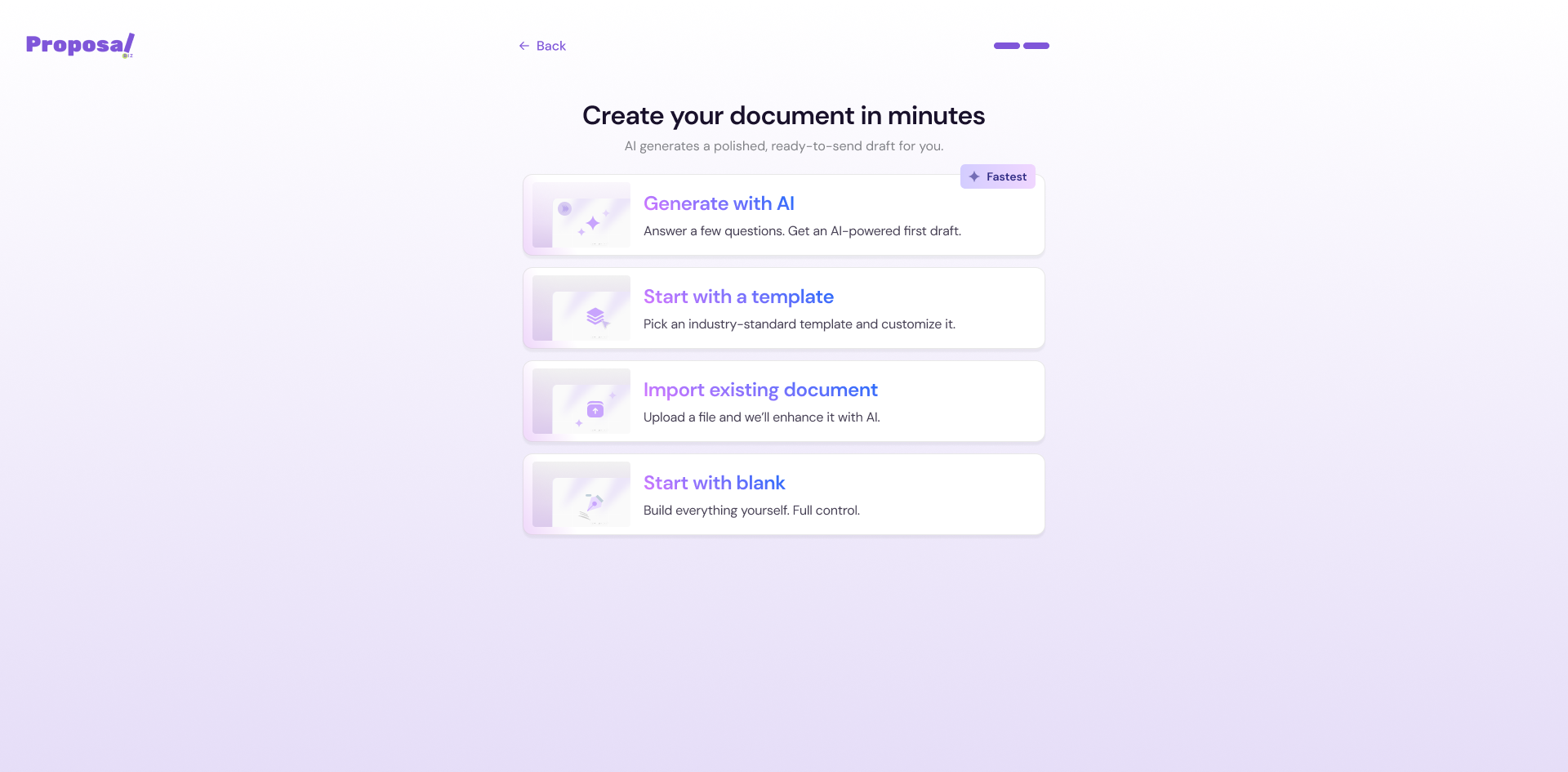
From your dashboard click + Create New
Select Start with a template from the dropdown
Step 1: Select Your Document Category
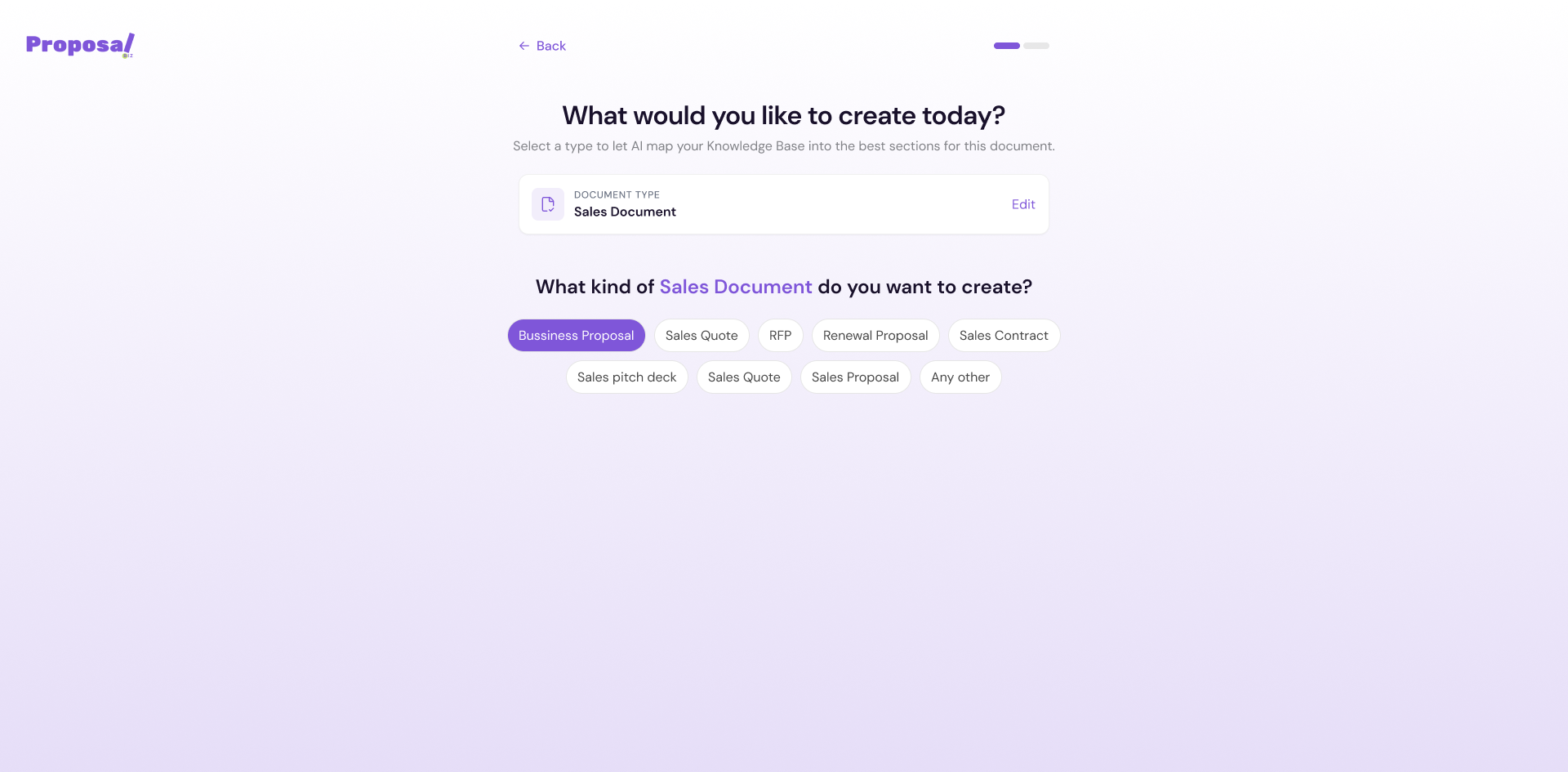
The first screen asks "What would you like to create today?"
Choose the category that best matches your document:
Sales
Marketing
Legal Compliance
Any other
Step 2: Select Your Document Type
Once you select a category, Proposal.biz asks "What kind of [Category] do you want to create?"
A list of document types specific to your chosen category will appear. For example, under Marketing you will see options such as:
Marketing Proposal
Case Study
Press Release
One-Pager
Campaign Report
Brand Guidelines
Buyer Persona Profile
Product Datasheet
Brochure
Newsletter
Any other
Click on the document type that fits your needs to proceed.
Note If you selected the wrong category, click Edit next to the document type shown at the top of the screen to go back and change it.
Step 3: Choose a Template
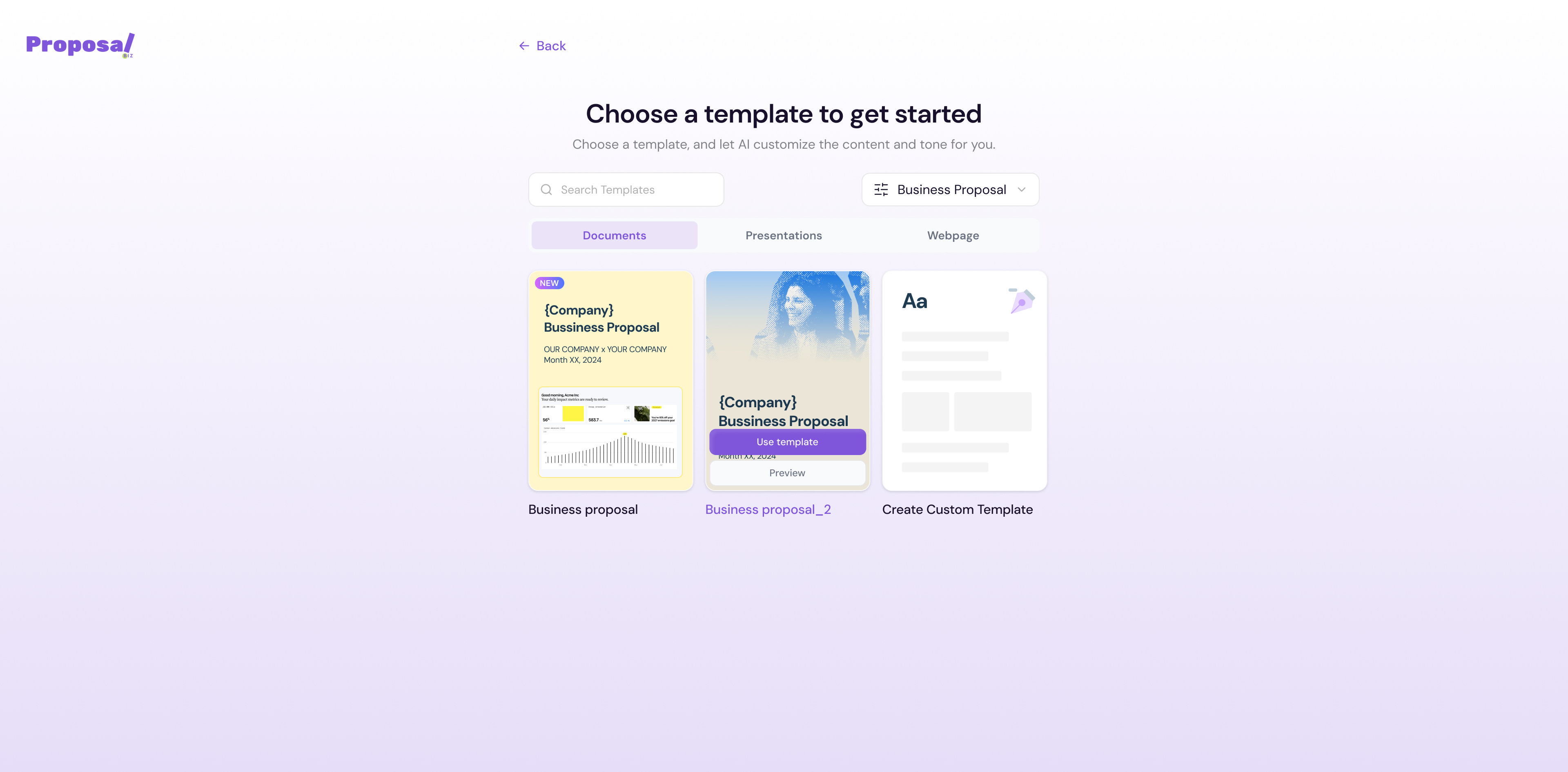
Once you select your document type, the template library opens showing "Choose a template to get started."
From here you can:
Use the Search Templates bar to find a specific template by name or keyword
Filter templates by document type using the dropdown on the right
Switch between Documents, Presentations, and Webpage tabs to find the right format
Hover over any template to reveal two options:
Use template — Opens the template directly in the editor
Preview — Lets you review the full template before committing
💡 Pro Tip Use the Preview option before selecting a template to make sure the structure and layout match what you have in mind. This saves time and avoids unnecessary edits later.
Creating a Custom Template
If none of the available templates fit your needs, click Create Custom Template the first card in the template library to build your own from scratch.
What Happens Next
Once you click Use template, Proposal.biz opens the template in the builder. From here you can edit, refine, and finalize your document before sending.
Next Steps Once your template opens in the builder, customize it with your content, branding, and details before sending.