

Overview
Profile Settings is where you manage your personal account details on Proposal.biz. This includes your name, email address, profile picture, and password. Keeping your profile up to date ensures your documents and activity are correctly attributed to you across your workspace.
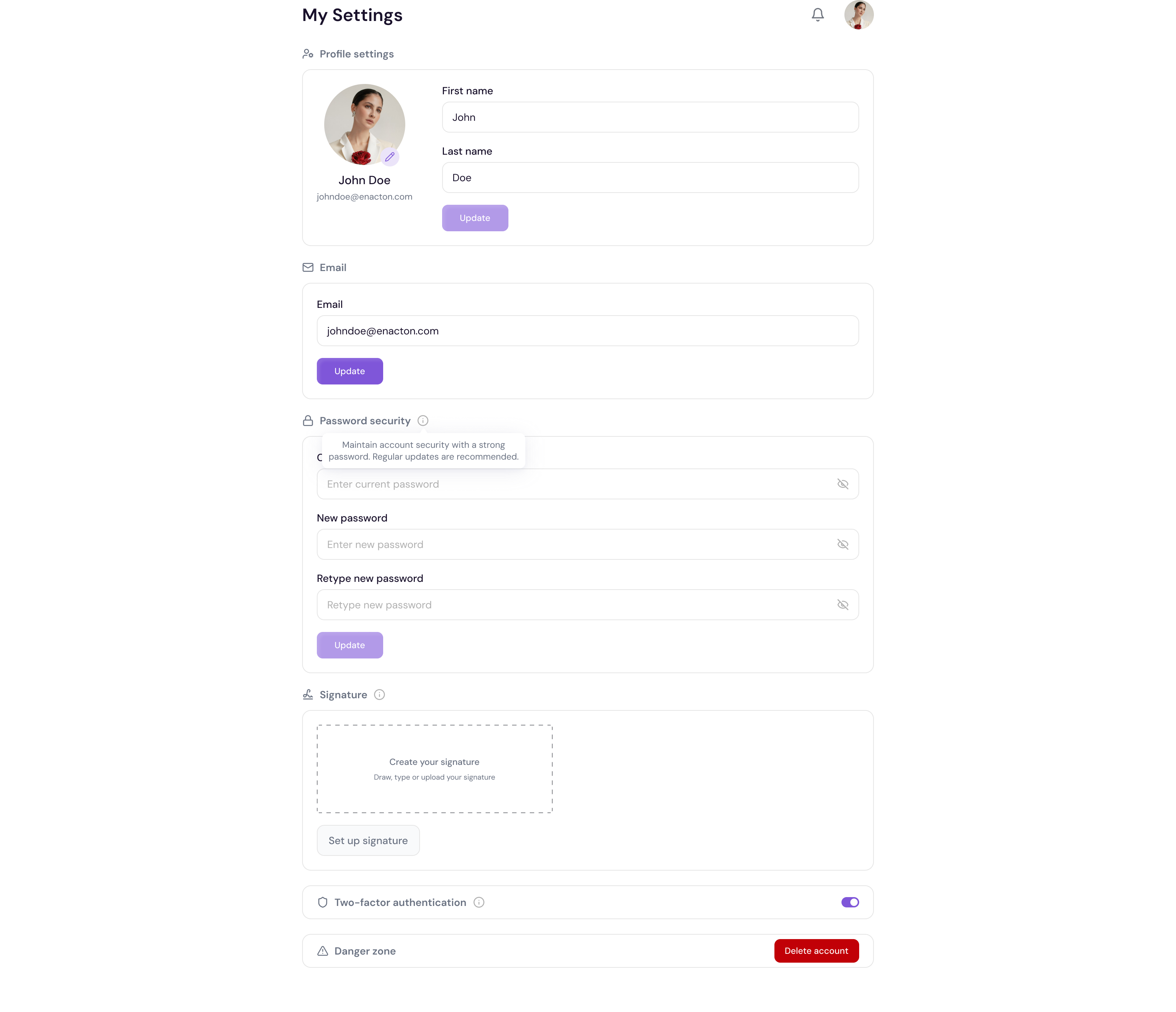
Accessing Profile Settings
Go to Settings in the left sidebar
Click Profile Settings
Updating Your Name
Click on the Full Name field
Update your name
Click Save to confirm
Updating Your Email Address
Click on the Email Address field
Enter your new email address
Click Save to confirm
Note Updating your email address may require you to verify the new address before the change takes effect.
Updating Your Profile Picture
Click on your current profile picture or the upload area
Select a new image from your device
Click Save to apply
Changing Your Password
Scroll to the Password section
Enter your current password
Enter your new password
Confirm your new password
Click Save to update
💡 Pro Tip Use a strong, unique password for your Proposal.biz account and enable two-factor authentication for an extra layer of security. See Setting Up Two-Factor Authentication for more details.