

Overview
Notification Settings is where you control which activity updates Proposal.biz sends you. You can choose to be notified about document activity, team events, and collaborator actions so you always stay informed without being overwhelmed.
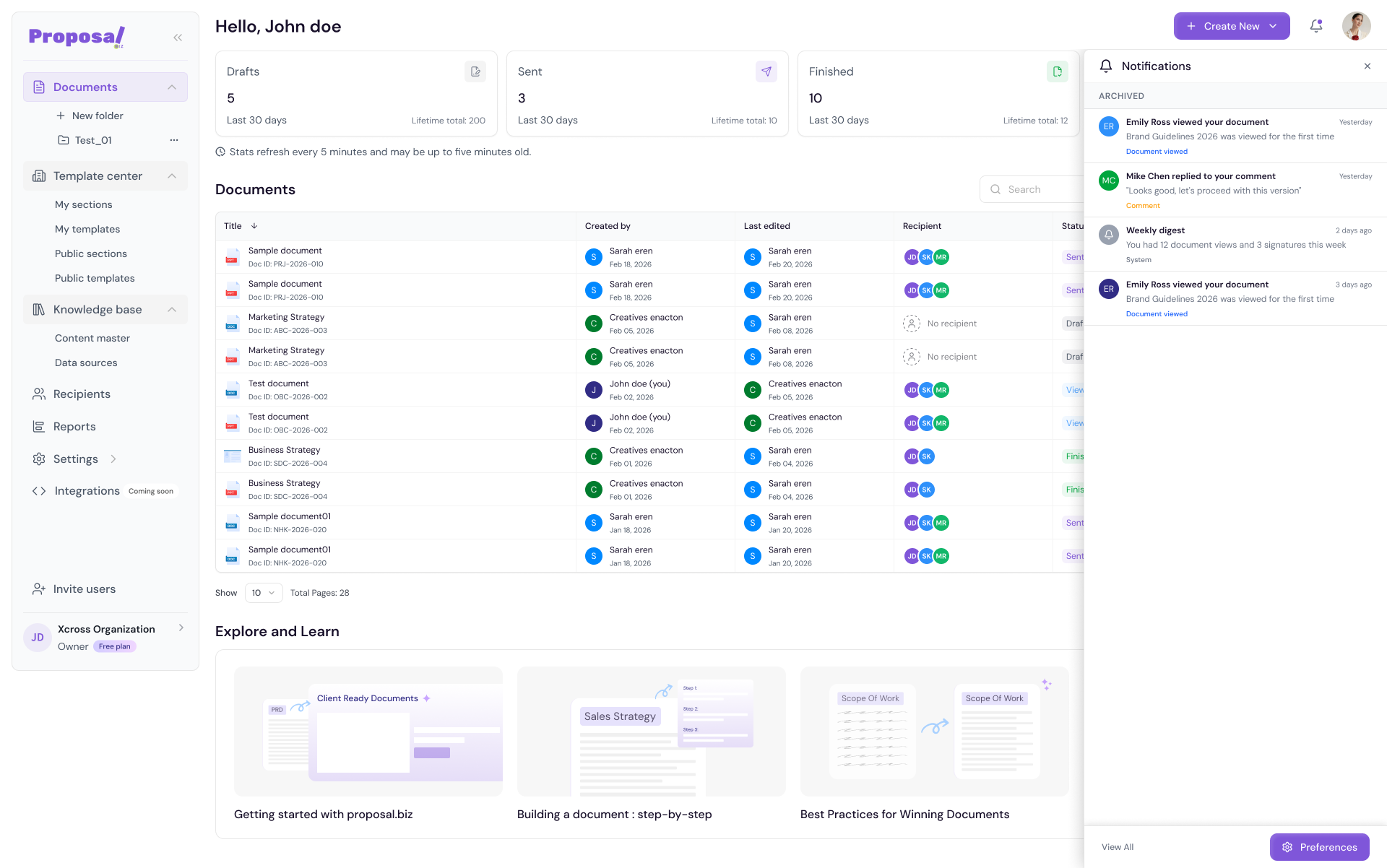
Accessing Notifications
Go to Settings in the left sidebar
-
Under My Settings click Notifications
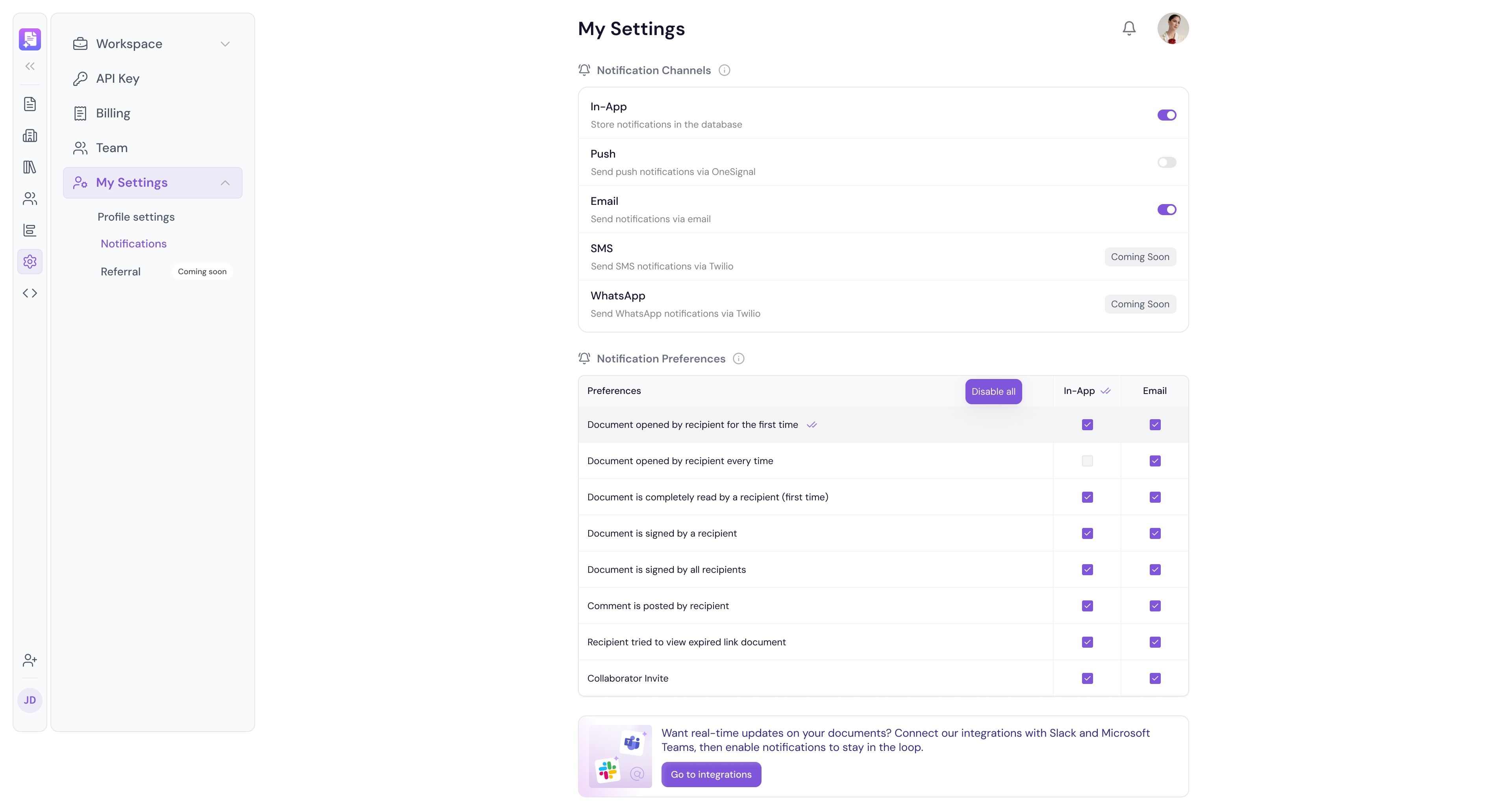
Email Notifications
Configure which events trigger an email notification to your registered email address.
In-App Notifications
Configure which events trigger a notification inside Proposal.biz.
Document Activity Notifications
Stay informed about what is happening with your documents:
When a recipient views your document
When a recipient signs your document
When a recipient comments on your document
When a document expires
Team & Collaboration Notifications
Stay updated on team activity across your workspace:
When a team member is invited
When a team member joins your workspace
When a collaborator makes changes to a shared document
Browser Notifications
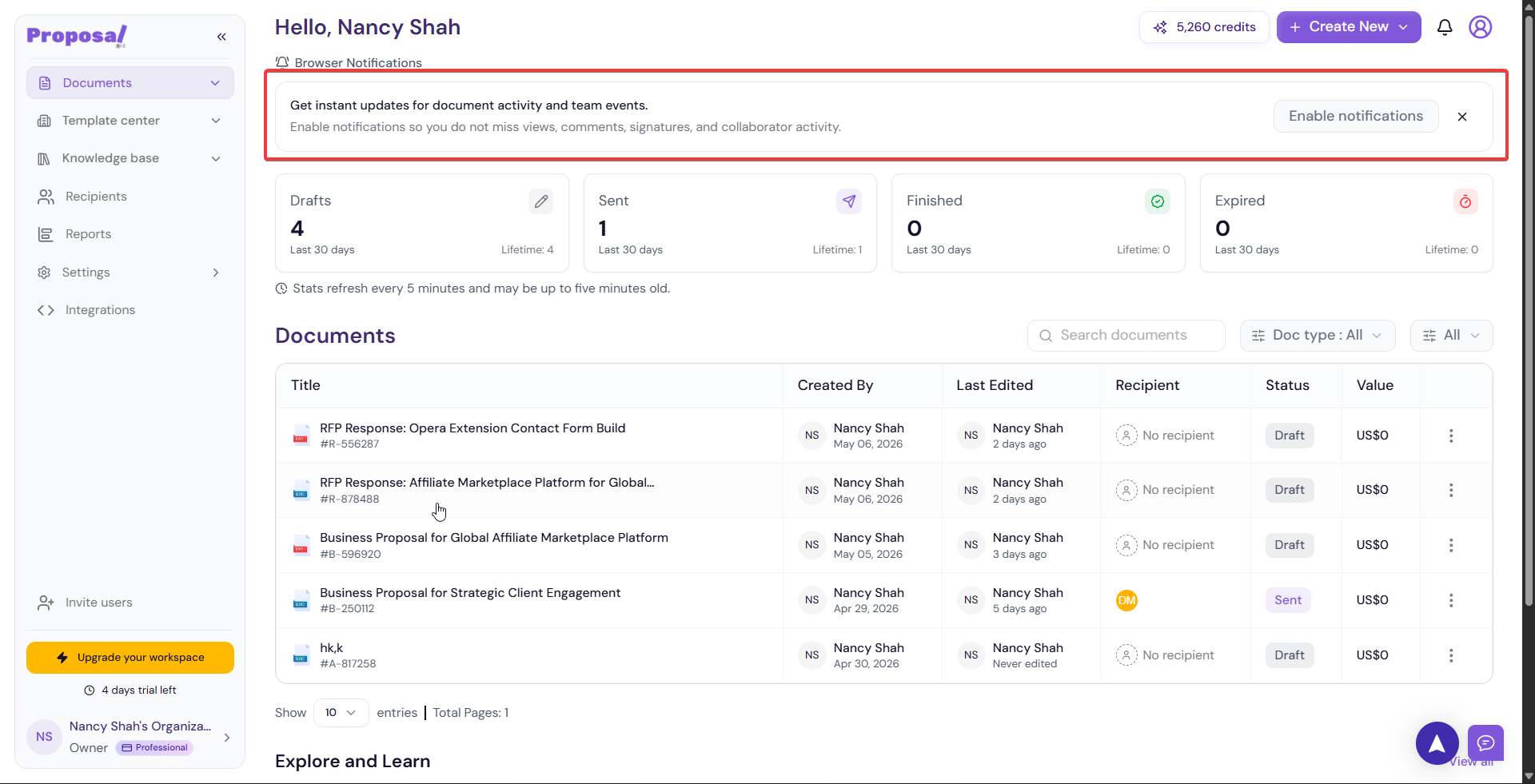
You can also enable browser notifications to get instant updates directly in your browser without needing to be inside Proposal.biz.
Click Enable notifications when prompted on your dashboard
-
Allow notifications in your browser settings when asked
💡 Pro Tip Enable document view notifications so you know the exact moment a recipient opens your proposal. This lets you follow up while their interest is at its highest — significantly improving your chances of a quick response.
Next Steps This completes your Settings configuration. Learn how to connect your favourite tools in Integrations.