

Overview
General Settings is where you manage the core configuration of your Proposal.biz workspace. From here you can update your workspace name, language preferences, time zone, and other foundational settings that apply across your entire account.
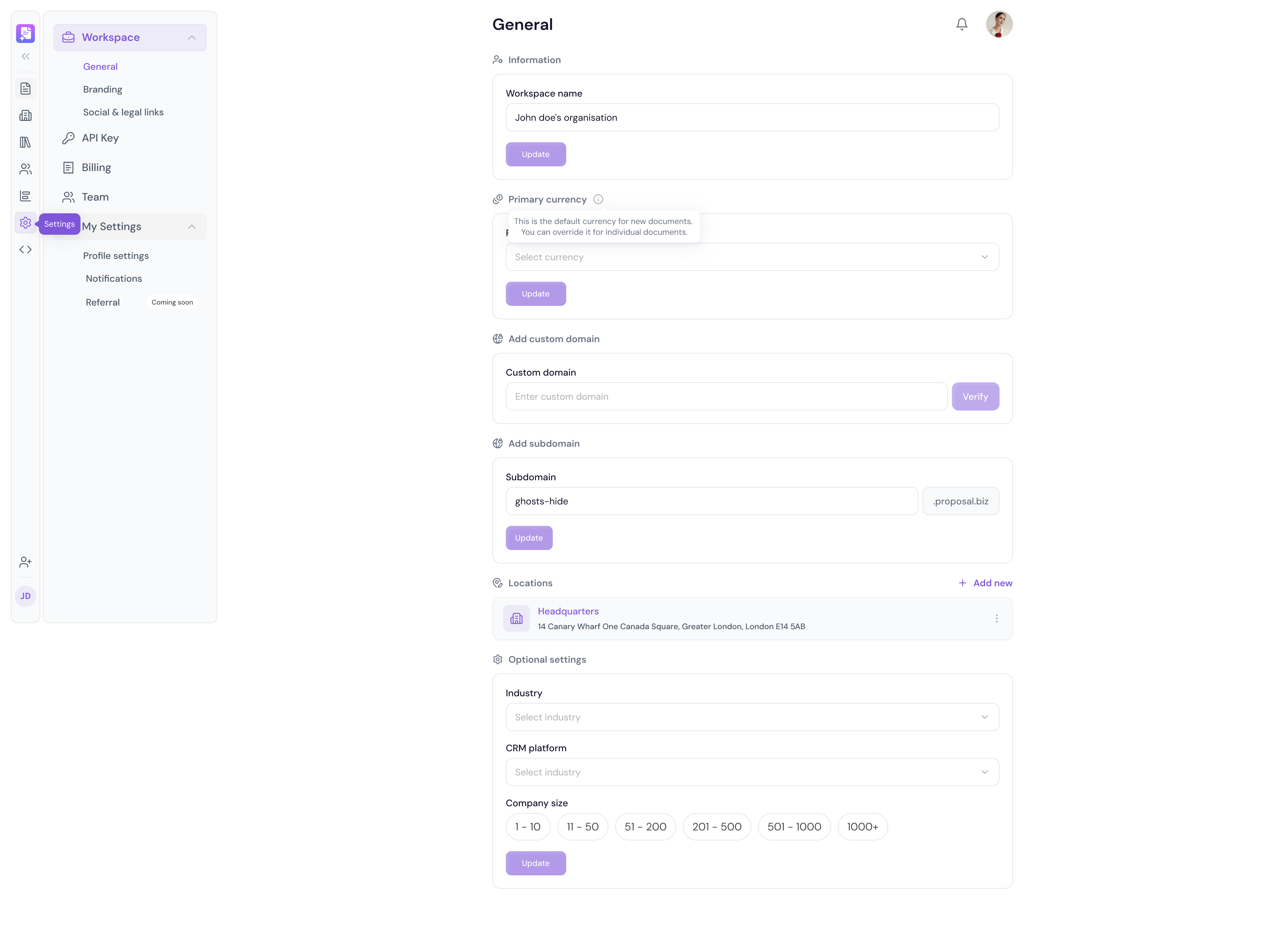
Accessing General Settings
Go to Settings in the left sidebar
The General Settings page will open by default
Workspace Name
Click on the Workspace Name field
Update the name to reflect your organization
Click Save to confirm
Language & Time zone
Select your preferred Language from the dropdown
Select your Time zone to ensure all document activity and timestamps are accurate
Click Save to apply your changes
Document Settings
From General Settings you can also configure default document preferences that apply to all new documents created in your workspace — such as default currency and document expiry settings.
💡 Pro Tip Set your time zone correctly from the start. All document activity timestamps, notification times, and analytics data are displayed based on your configured time zone.