

Overview
API Keys allow you to connect AI agents to Proposal.biz via the Model Context Protocol (MCP). If you or your team use an MCP-compatible AI agent such as Claude you can generate an API key to authenticate the connection and allow the agent to create and manage proposals on your behalf.
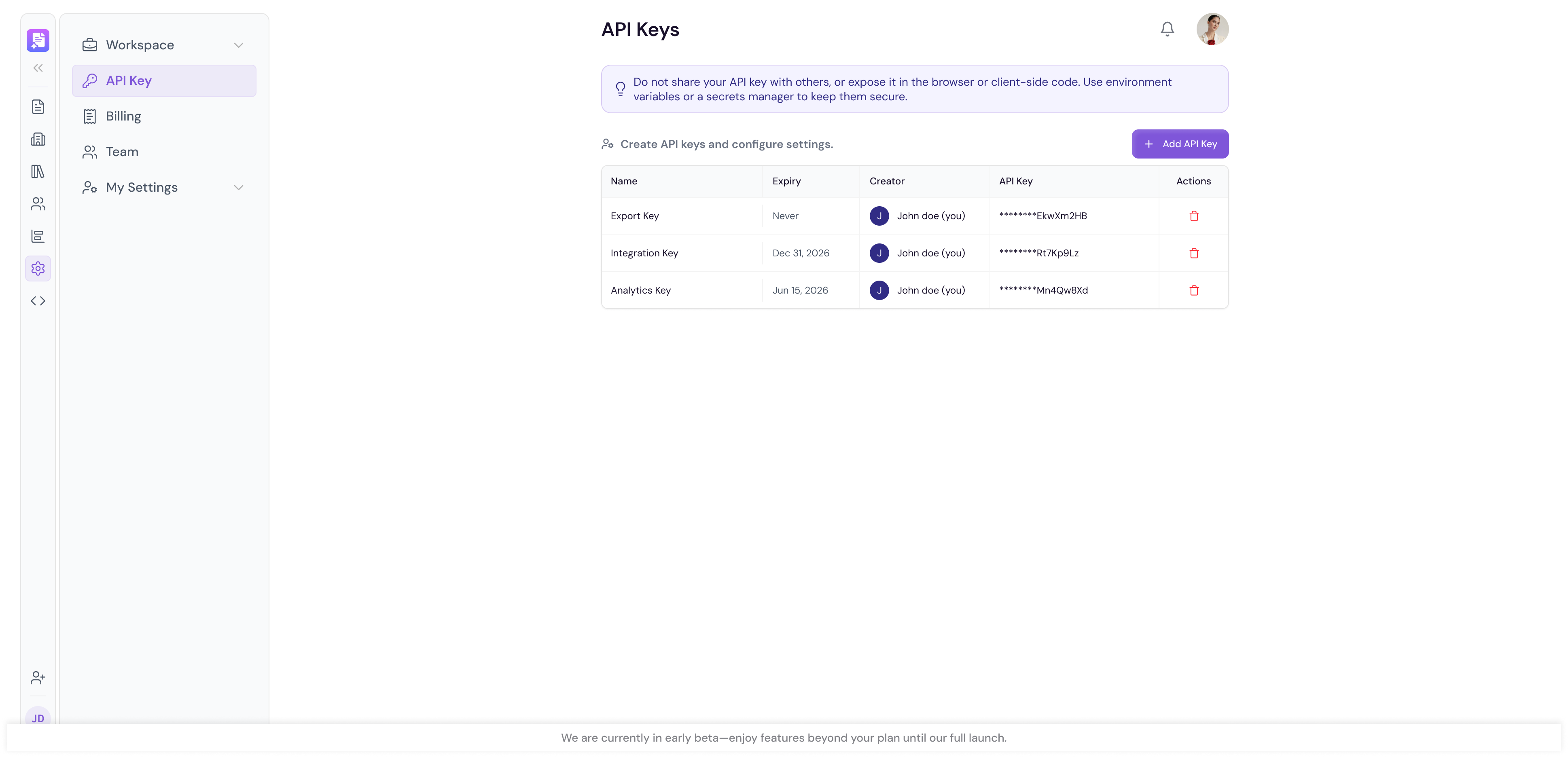
Accessing API Keys
Go to Settings in the left sidebar
Under Workspace click API Keys
Generating a New API Key
Click Create Key
Enter a name for your API key to help you identify it later, for example
My Claude AgentGrant the
write:proposalspermissionClick Generate to create the key
-
Copy your API key immediately, it begins with
pbz_and is shown only once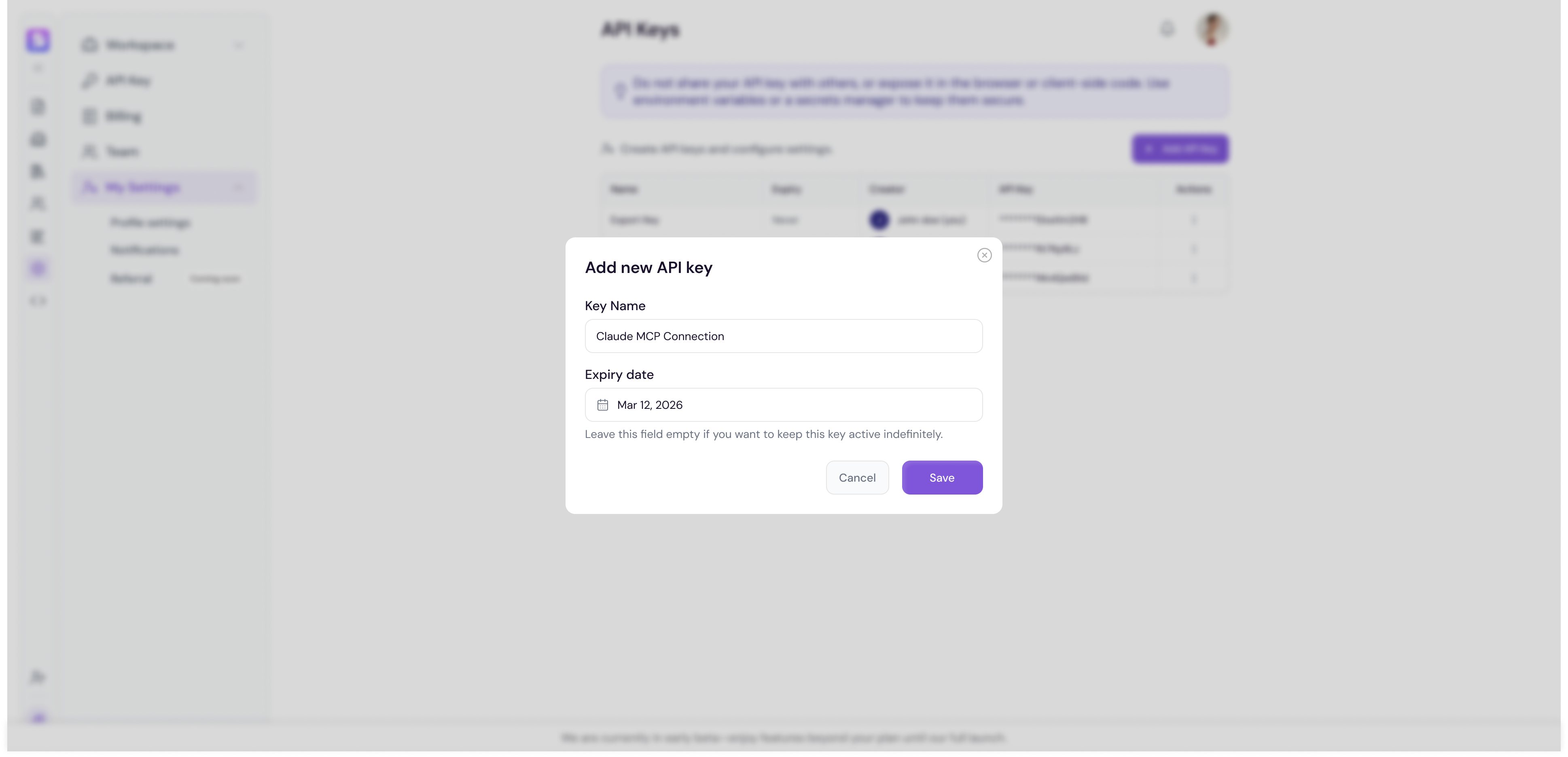
Note For security reasons your API key will only be shown once at the time of generation. If you lose it you will need to generate a new one.
Using Your API Key
Once generated, use your API key to authenticate your AI agent's MCP connection to Proposal.biz.
In your AI agent's MCP server configuration:
Enter the Proposal.biz MCP URL:
https://app.proposal.biz/api/mcpSelect API Key or Bearer Token as your authentication method
Paste the full
pbz_...key in the field providedSave and connect
For the complete MCP connection guide, see Connecting via MCP.
Managing Your API Keys
All your generated API keys are listed in the API Keys table. For each key you can see:
Name — The label you gave the key
Created — When the key was generated
Last Used — When the key was last used to make a request
Actions — Options to manage the key
Revoking an API Key
If you need to revoke access for a key:
Find the key in the API Keys table
Click the Delete icon next to it
Confirm the deletion in the prompt that appears
Note Revoking an API key immediately disables all access for any application using that key. Make sure you update your integrations with a new key before revoking the old one to avoid any disruption.
Key Safety
Treat your API key like a password, anyone with it can act as your account within its scopes
Rotate keys from Settings → API Keys if you suspect leakage
Use separate keys for each AI agent or environment instead of reusing one key everywhere
💡 Pro Tip Give each API key a descriptive name that reflects its purpose or the application it is used, for example "Custom Webhook". This makes it much easier to manage and revoke keys if needed.
Next Steps Learn how to manage your workspace subscription and billing in Billing.