

Overview
AI Credits are the currency that powers all AI-driven features on Proposal.biz. Every time you use AI to generate, edit, or evaluate content, credits are consumed from your monthly allowance. Your credit limit depends on your plan, and credits reset automatically each month.
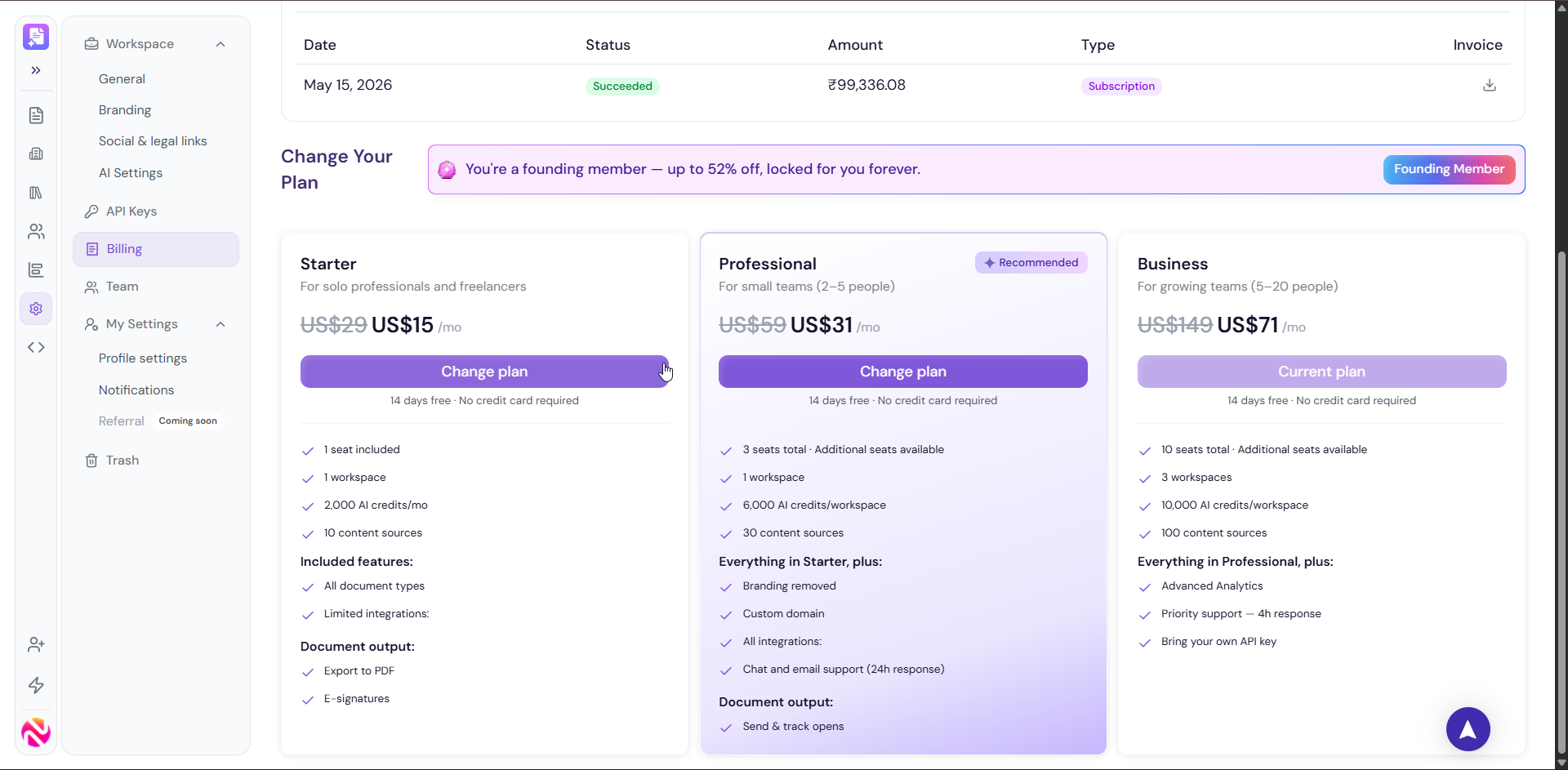
How AI Credits Work
Each Proposal.biz plan comes with a monthly AI credit allowance
Credits are consumed when you use any AI-powered feature across the platform
Credits reset automatically on your monthly billing cycle date
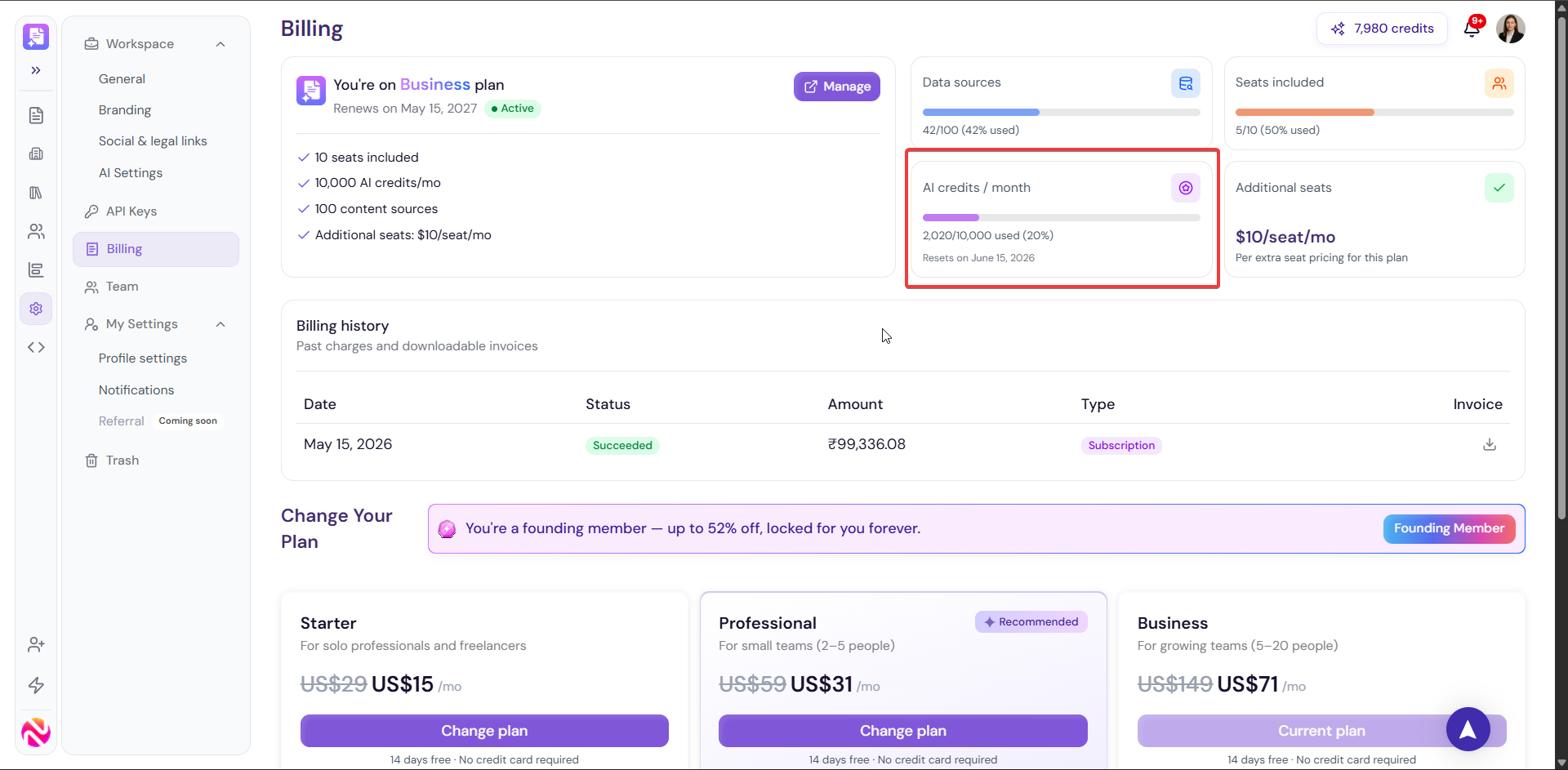
You can monitor your current usage from the Billing page under Settings
Credit Allowance by Plan
Plan |
Monthly AI Credits |
|---|---|
Starter |
2,000 credits/mo |
Professional |
6,000 credits/mo |
Business |
10,000 credits/mo |
Enterprise |
Unlimited credits |
Activities That Consume AI Credits
AI credits are consumed across the following activities:
Document Generation (Nova) When you create a document using Generate with AI, credits are consumed based on the length and complexity of the document generated.
AI Image Generation When you generate images using the AI Images option inside the editor's image panel, credits are consumed per image generated.
AI Agent: Content Editing When you use the AI Agent in the right panel of the editor to rewrite, improve, shorten, expand, or apply quick edits to selected content, credits are consumed per edit.
AI Page-Level Content Modification In addition to the AI Agent, you can also modify content at the page level through AI directly in the editor. This allows you to apply AI-powered changes to an entire page of content at once and credits are consumed accordingly.
AI Evaluation When you use the Evaluate tab in the right panel to score and review your document quality, credits are consumed each time an evaluation or re-evaluation is run.
Content Extraction from Data Sources When you add a new data source via Website Crawl or Import File in the Knowledge Base, AI is used to extract and structure the content for consuming credits during the processing.
Monitoring Your Credit Usage
Go to Settings in the left sidebar
Click Billing
-
Your AI credit usage is displayed at the top of the page showing:
Credits used out of your total allowance
Percentage consumed
Monthly reset date
Topping Up AI Credits
If you run out of credits before your monthly reset:
Go to Settings → Billing
Click Top-up AI credits next to the AI credits usage bar
Select the number of credits you want to add
Confirm your purchase
The additional credits will be available immediately
What Happens When You Run Out of Credits
If your credits are fully consumed before the monthly reset:
AI-powered features will be temporarily unavailable until your credits reset or you top up
You can continue to use all non-AI features of the editor, dashboard, and workspace without any restriction
-
Your existing documents, templates, and data are not affected
💡 Pro Tip Use the AI Agent's Quick Edits for small, targeted improvements instead of regenerating entire sections. Quick edits consume fewer credits and often give you better results because they are focused on a specific task.
Next Steps Learn how to manage your workspace subscription and plan in Billing.